


- Emil
Display type
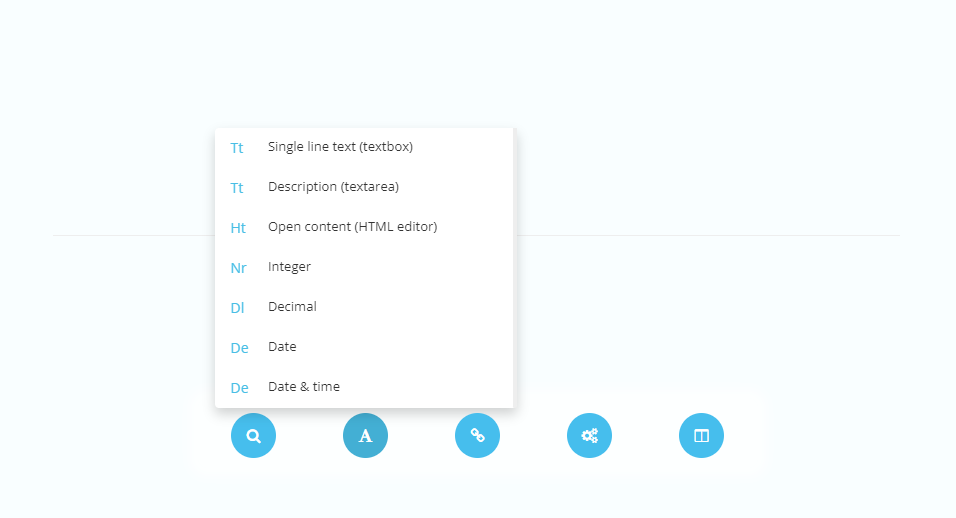
Display elements display a textbox where text is added. Display elements can be added by accessing the display type element button within the element type menu.
| Settings name | Instructions |
|---|---|
| Trim text after character amount | Set the amount of characters included in output. |
| Min allowed characters | Set the minimum number of characters inside the textbox. |
| Max allowed characters | Set the maximum number of characters inside the textbox. |
| Clear HTML | Remove all HTML inside the content before outputting. |
| Allow simple markdown | Allow simple markdown for cursive text, bold text, underline text, etc.. |
Single line text (textbox)
Textbox displays a single-line textbox that is suitable for short descriptions, headings, etc.

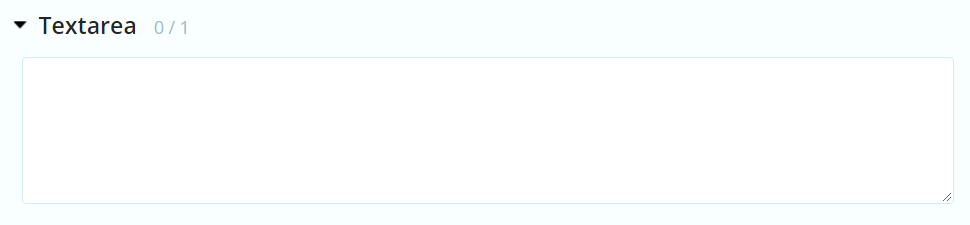
Description (textarea)
Textarea displays a multi-line textbox that is suitable for longer descriptions, ingresses, etc.
Open content (HTML editor)
Open content displays a large text-editor that is suitable for long written content. Content administrators have access to different tools to make lists, tables etc. Certain media, such as images and videos can also be added inside the Open content.
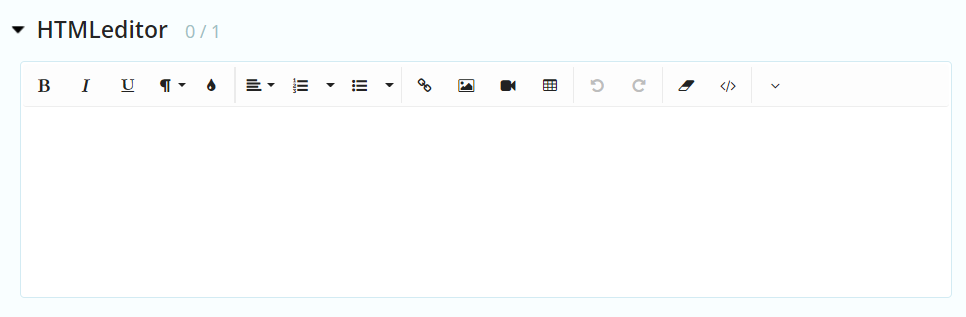
Be aware that the available configurations within the Open content can not be regulated.
Integer
Textbox displays a single-line number input that only accepts integer numbers.

Decimal
Textbox displays a single-line number input that only accepts decimal numbers.

Date
Date displays a an input where a date from a calendar can be added.

